Otherwise known as how to void your warranty but have working stuff… standard disclaimer applies. Before you read further, this is not some glowing gushing Youtube talking head review… go there if that’s what you’re into. Yes, I’m posting this on zpool.org. Yes, I’ve been running ZFS since the Solaris beta in 2005. Yes, I bought a NAS appliance in 2026 that runs mdadm + LVM + btrfs instead of ZFS.
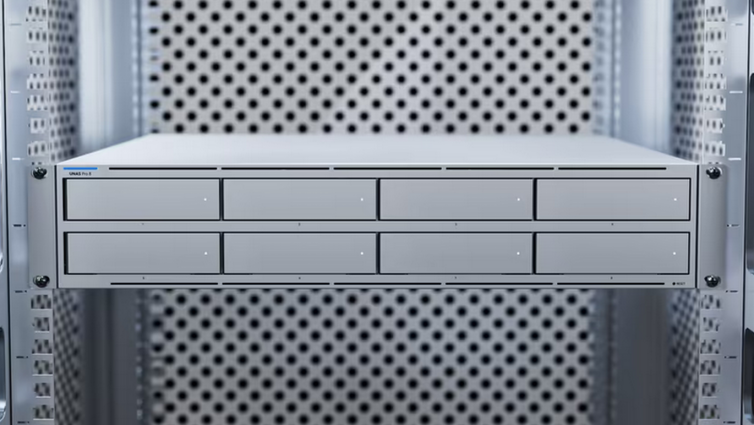
I have plenty of TrueNAS and similar for more important things, but the use case called for something simpler. Ubiquiti gear, Ubiquiti ecosystem, should just work. And I was curious. Good thing I’m persistent too. Anyway, I recently picked up a Ubiquiti UNAS Pro 8 for my homelab. 8-bay NAS, dual M.2 NVMe slots for SSD cache, runs UniFi OS (debian arm64). Simple enough, right? Buy the hardware, slot in the drives, click some buttons in the UI.Yeah, about that.
The Setup
- UNAS Pro 8 – Ubiquiti’s 8-bay NAS appliance
- 8x 10TB HGST Ultrastar He10 – The spinning rust, configured as single pool of RAID6
- 2x 1TB Kingston OM8SEP4 – NVMe cache drives, purchased directly from Ubiquiti
- UniFi OS – Early Access release (3.5.2 at time of writing)
The goal: 54TB usable storage with ~1TB writeback SSD cache for improved random I/O. Standard NAS stuff.
The Problem
Drives installed. RAID6 array created. 54TB pool online and happy. Time to add cache.
Click “Assign SSD Cache to Storage Pool” and… immediate error:
"Unable to assign SSD Cache to Storage Pool 1"
That’s it. No details. Thanks, Ubiquiti.
SSH into the box and check the logs:
Jan 30 18:14:20 house-stor-1 ustackctl[2762546]: Task failed
Need at least 1 cache disk for raid1, found 0
The NVMe drives show up in the UI. They show up in nvme list. They exist. But the storage service claims there are zero cache disks available.
The Debugging Journey
Step 1: Find the Hardware Daemon
UniFi OS uses a layered architecture:
usdbd– Status database daemonuhwd– Hardware daemon (detects disks, assigns slot numbers)unifi-drive– The actual storage service
The hardware daemon (uhwd) is responsible for detecting disks and publishing them to the status database. Let’s see what it knows:
journalctl -u uhwd --no-pager | grep nvmeNothing. Zero NVMe entries. It’s detecting all 8 SATA drives fine (slots 1-8), but the NVMe drives are invisible to it.
Step 2: The Device Tree
The UNAS Pro 8 runs on an Annapurna Labs Alpine V2 ARM platform. Slot mappings are defined in the device tree:
cat /sys/firmware/devicetree/base/soc/hdd_pwrctl-v2/ssd@0/slot-no | xxd
00000000: 0000 0065                                ...e

cat /sys/firmware/devicetree/base/soc/hdd_pwrctl-v2/ssd@1/slot-no | xxd
00000000: 0000 0066                                ...f
The device tree knows about the NVMe slots (101 and 102). The PCIe addresses are correctly mapped. The hardware config is fine.
Step 3: The Fix (Part 1)
After much poking around, I tried the obvious thing – restart the services:
systemctl restart usdbd && sleep 2 && systemctl restart uhwd && sleep 5 && systemctl restart unifi-driveCheck the logs again:
Jan 30 21:42:47 house-stor-1 /usr/sbin/uhwd[3207440]: [INFO] nvme[1] scanned, info: {"node": "nvme0n1", ...}
Jan 30 21:42:47 house-stor-1 /usr/sbin/uhwd[3207440]: [INFO] nvme[2] scanned, info: {"node": "nvme1n1", ...}
The NVMe drives appear. The status database was stale, and the hardware daemon needed a kick to re-scan. Why didn’t this happen on boot? Race condition? Firmware bug? Who knows.
Step 4: A New Problem
With the drives detected, I try the cache assignment again:
Cache setup plan:
Target volume: vgd7e2857b-lvee0a2b23
Cache mode: writeback
Cache disks: slots 1,2 (RAID1)
...
Failed to extend vg with params: {...}
Task failed
cache-vg-extend
Progress! It’s actually trying now. But failing at the VG extend step. Let’s try manually:
vgextend vgd7e2857b /dev/md4
  Devices have inconsistent logical block sizes (4096 and 512).
The HGST HDDs are 4Kn drives (4096 byte logical sectors). The Kingston NVMe SSDs use 512 byte sectors. LVM refuses to mix them in the same volume group by default. The SSDs are drives purchased directly from Ubiquiti mind you.
The Manual Fix
Time to do it ourselves. The ustackctl tool had already partitioned the NVMe drives and started creating the cache RAID before failing. We just need to finish the job.
Create the Cache RAID
mdadm --create /dev/md4 --level=1 --raid-devices=2 \
  --metadata=1.2 /dev/nvme0n1p2 /dev/nvme1n1p2 --run
Create Physical Volume
pvcreate /dev/md4Extend VG with Mixed Block Sizes
vgextend --config 'devices { allow_mixed_block_sizes = 1 }' vgd7e2857b /dev/md4The allow_mixed_block_sizes flag tells LVM to stop complaining. For a cache use case, this is perfectly safe – dm-cache handles the translation.
Create Cache Pool
lvcreate --type cache-pool -l 100%PVS -n lvee0a2b23_cache vgd7e2857b /dev/md4Attach Cache to Volume
echo y | lvconvert --type cache --cachepool vgd7e2857b/lvee0a2b23_cache \
  --cachemode writeback vgd7e2857b/lvee0a2b23
Verify
lvs -a -o lv_name,cache_policy,cachemode
  LV          CachePolicy CacheMode
  lvee0a2b23  smq         writeback
The UI now shows both M.2 drives as SSD cache. Victory.
Bonus: Adding Monitoring
The UNAS Pro 8 has no exposed metrics infrastructure. No Prometheus, no OpenTelemetry, nothing useful for generating I/O charts outside the system. The UI has some basic graphs, but if you want real observability then this is the way.
Node Exporter
# Download and install to persistent storage
curl -sLO https://github.com/prometheus/node_exporter/releases/download/v1.7.0/node_exporter-1.7.0.linux-arm64.tar.gz
tar xzf node_exporter-1.7.0.linux-arm64.tar.gz
mv node_exporter-1.7.0.linux-arm64/node_exporter /persistent/bin/
UniFi OS uses an overlay filesystem – anything outside /persistent may get wiped on firmware upgrades.
SMART Exporter
For drive health monitoring:
curl -sLO https://github.com/prometheus-community/smartctl_exporter/releases/download/v0.12.0/smartctl_exporter-0.12.0.linux-arm64.tar.gz
tar xzf smartctl_exporter-0.12.0.linux-arm64.tar.gz
mv smartctl_exporter-0.12.0.linux-arm64/smartctl_exporter /persistent/bin/
Systemd Services
Create service files and a restore script for post-upgrade recovery:
# /persistent/system/restore.sh
#!/bin/bash
cp /persistent/system/node_exporter.service /etc/systemd/system/
cp /persistent/system/smartctl_exporter.service /etc/systemd/system/
systemctl daemon-reload
systemctl enable --now node_exporter smartctl_exporter
echo 'exporters restored'
Scrape Targets
Add to your Prometheus config:
scrape_configs:
  - job_name: 'unas'
    static_configs:
      - targets: ['192.168.50.115:9100', '192.168.50.115:9633']
Grafana Dashboards
These can be imported from the community list:
- 1860 – “Node Exporter Full” for system metrics
- 20204 – “SMART disk data” for drive health
I also created a custom dashboard that looks like this:
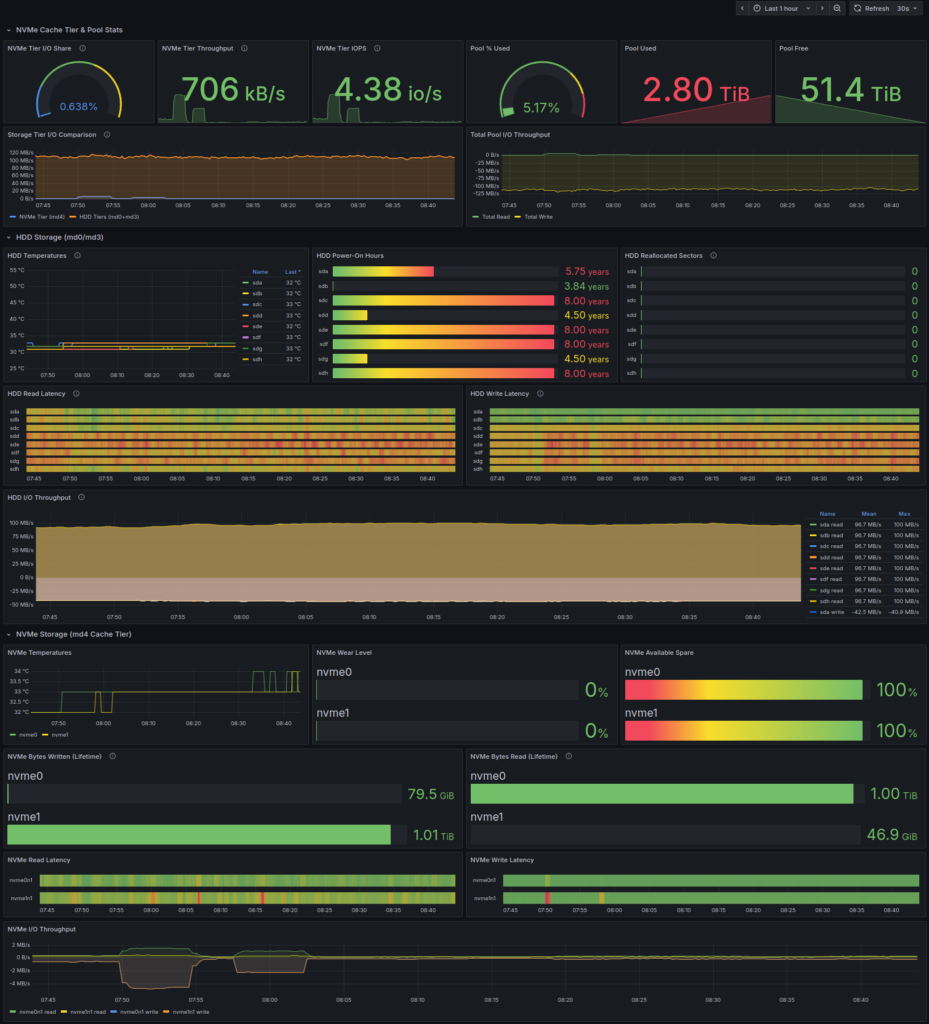
You can find more details and an installer for this and more under unas-pro-tools.
The Architecture
For those curious, here’s what UniFi OS uses for storage:
Physical Disks
     ↓
   mdadm (RAID)
     ↓
    LVM (Volume Management)
     ↓
  dm-cache (SSD Caching)
     ↓
   btrfs (Filesystem)
It’s a lot of moving parts. Each layer has its own tools, its own failure modes, and its own quirks. The ustackctl tool is supposed to orchestrate all of this, but when something goes wrong, you’re left debugging the stack manually or waiting for Ubiquiti to fix it.
Compare this to ZFS, where all of this is one integrated system with zpool add cache. I’ve heard rumors… I would be first in line to try it.
Lessons Learned
- Ubiquiti’s tooling assumes the happy path. When it works, it’s fine. When it doesn’t, you’re on your own.
- The service restart sequence matters. If NVMe cache doesn’t work after a reboot:
systemctl restart usdbd && sleep 2 && systemctl restart uhwd && sleep 5 && systemctl restart unifi-drive
- Block size mismatches are real. 4Kn HDDs + 512b NVMe = LVM sadness. The fix is
allow_mixed_block_sizes = 1. - Use
/persistentfor anything you want to survive. The overlay filesystem is ephemeral. - Don’t try this at home or on anything production. I signed up for this.
Was It Worth It?
I now have a 54TB RAID6 pool with ~1TB NVMe writeback cache. Random I/O performance is significantly improved. The monitoring stack gives me visibility into drive health and I/O patterns above and beyond the minimal UI stuff (which isn’t bad, unless you care about long-term metrics).
Did I spend hours debugging something that should have been a 5-minute UI operation? Yes. Did I learn exactly how UniFi OS manages storage? Also yes. Would I recommend the UNAS Pro 8? It’s fine hardware at a reasonable price and will meet most needs. I have no regrets so far.
The issue has been reported and will hopefully get fixed in an upcoming release. And if you’re listening Ubiquiti, ZFS please and thank you.